

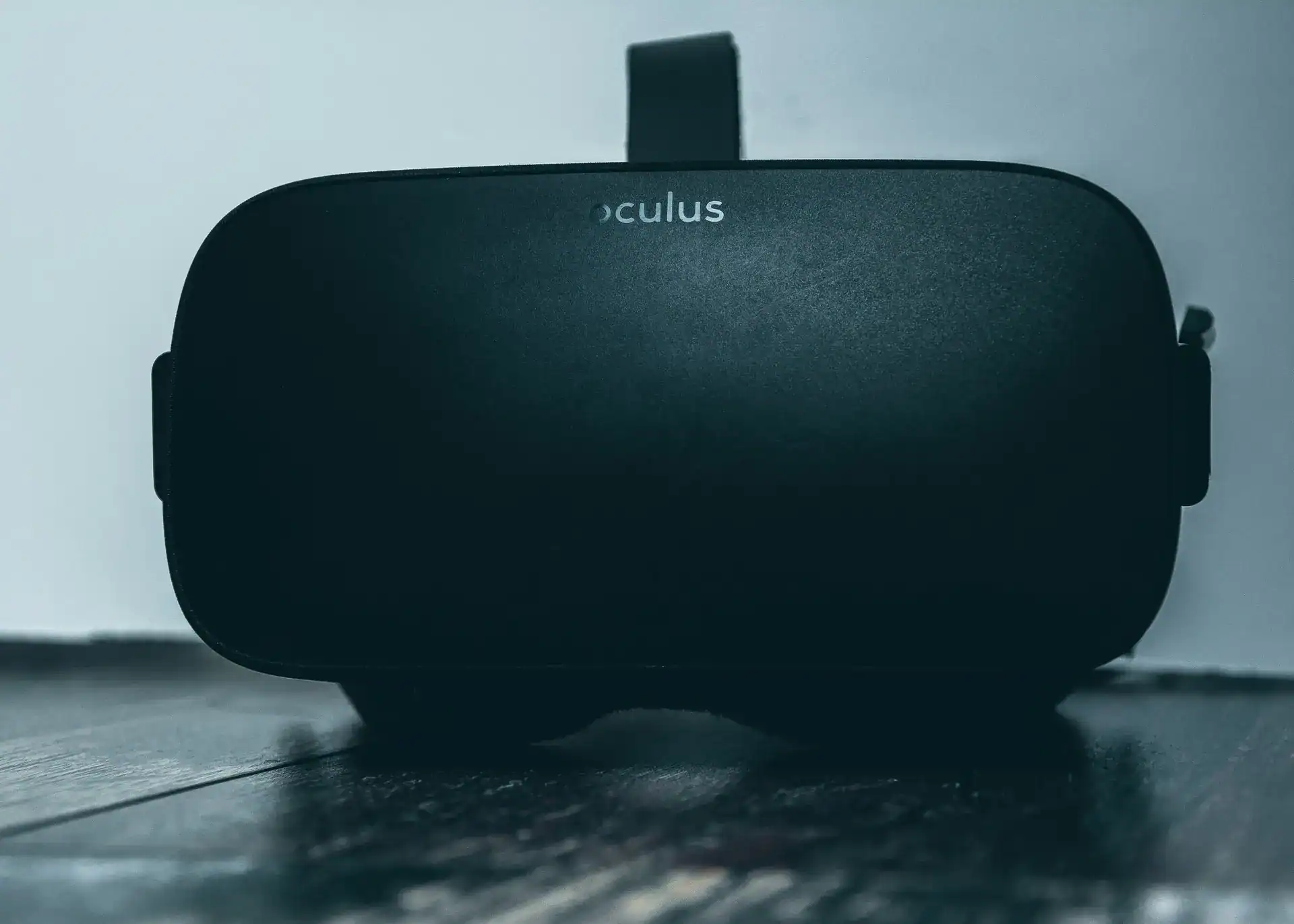

Virtual reality (VR) app development isn’t just for gaming anymore; it’s rapidly expanding into a wide array of industries, offering immersive solutions from training to therapy. If you’re looking to build something truly ground-breaking, VR is where it’s at.
You might be thinking, “VR, isn’t that still a niche thing?” Not really. While consumer adoption is growing steadily, the real revolution is happening in enterprise and specialized applications. Businesses are seeing concrete ROI, and the technology is mature enough to deliver genuinely impactful experiences. It’s no longer just a gimmick; it’s a powerful tool for transformation.
Bridging Distances
Think about it: remote teams collaborating in a virtual office, surgeons practicing complex procedures without risk, or architects walking clients through unbuilt structures. VR excels at making the impossible palpable and accessible, regardless of physical location. This capacity for transcending physical boundaries is a huge draw and a major driver of current investment.
Enhancing Engagement
Traditional training can be dry. Learning through a textbook or a slideshow often leaves people disengaged. VR, by its very nature, demands active participation. When you’re “inside” a scenario, your brain responds differently. The level of immersion creates stronger memories and deeper understanding, leading to better outcomes in areas like education, skills training, and even marketing.
Solving “Impossible” Problems
Some problems are just too complex, dangerous, or expensive to solve in the real world. VR offers a safe, replicable, and cost-effective environment to tackle them. Imagine simulating natural disasters for emergency responders, or prototyping large-scale industrial machinery before any physical build. VR turns theoretical challenges into practical, navigable environments.
Getting Started: The Essential Toolkit
So, you’re convinced VR is the way to go. What do you actually need to start building? Luckily, the barrier to entry isn’t as high as you might think, especially for basic development.
Hardware Considerations
You don’t need the most expensive headset on the market to get going. A good mid-range PC VR headset like an Oculus Quest 2 (now Meta Quest 2) or a budget-friendly standalone option can be a great starting point for development and testing.
Choosing Your Headset
- Standalone VR (e.g., Meta Quest 2/3): These are fantastic for accessibility. They don’t need a powerful PC, are easy to set up, and are great for mobile VR experiences or demonstrating your work on the go. Development for these often involves optimizing performance significantly.
- PC VR (e.g., Valve Index, HTC Vive Pro 2, Varjo Aero): If you’re aiming for high-fidelity graphics, complex simulations, or large-scale environments, PC VR is your best bet. You’ll need a powerful gaming PC to drive these. Development often involves less optimization pressure on the graphics front, allowing for more detailed experiences.
- Mobile VR (e.g., Google Cardboard, Samsung Gear VR – largely defunct): While popular in the past, dedicated mobile VR support has waned. Most developers now target standalone headsets for mobile-like portability.
Development Machine Specs
For PC-based VR development, you’ll want a machine with:
- A strong CPU: Intel i7 (9th gen or newer) or AMD Ryzen 7 (3000 series or newer) is a good starting point.
- A powerful GPU: NVIDIA RTX 2060/3060 (or AMD equivalents) and up. The better your GPU, the smoother your development experience and the higher fidelity you can aim for.
- Ample RAM: 16GB is the minimum; 32GB is highly recommended, especially when running your development environment and a VR headset simultaneously.
- Fast Storage: An SSD (Solid State Drive) is virtually mandatory for quick loading times of large assets and project files.
Software and Engines
This is where the magic happens. You’ll need a robust game engine that supports VR development.
Unity 3D
This is often the go-to for VR beginners and seasoned developers alike. Unity is known for its user-friendliness, extensive community support, and a vast ecosystem of assets in its Asset Store.
- Pros: Lower learning curve compared to some alternatives, excellent documentation, strong support for most VR platforms, a huge community for troubleshooting.
- Cons: Can sometimes be less performant for ultra-high-end graphics compared to Unreal Engine, although this gap is shrinking. Requires C# programming knowledge.
Unreal Engine
If you’re aiming for photo-realistic graphics and highly complex visual effects, Unreal Engine is a powerhouse. It’s often favored for AAA games and high-end enterprise simulations.
- Pros: Unparalleled graphical fidelity, excellent for large-scale environments, Blueprint visual scripting allows for development without extensive C++ knowledge (though C++ is still supported and powerful).
- Cons: Steeper learning curve, resource-intensive, generally requires more powerful hardware for development.
Other Tools
- 3D Modeling Software: Blender (free), Autodesk Maya, 3ds Max, ZBrush – for creating your virtual objects and environments.
- 2D Graphics Software: Adobe Photoshop, GIMP – for textures, UI elements, and concept art.
- Audio Editing Software: Audacity (free), Adobe Audition – for sound effects and spatial audio implementation.
Design Principles for Immersive Experiences

Building a VR app isn’t just about technical skills; it’s about understanding how humans interact with virtual worlds. Good design can make or break an experience.
Reducing Motion Sickness
This is non-negotiable. If your users get sick, they won’t use your app. Simple as that.
Teleportation vs. Free Locomotion
- Teleportation: The safest option. Users point to a spot and instantly reappear there. Reduces motion sickness significantly. Good for onboarding new VR users or for experiences where precise movement isn’t critical.
- Comfort Options for Free Locomotion: If your app requires continuous movement, offer options like snap turning (rotating in fixed increments), vignetting (darkening the periphery of the screen during movement), and speed controls. Fading to black during rapid movements can also help. Always give the user control over these settings.
Consistent Frame Rate
A juddering, low frame rate is a guaranteed way to induce nausea. Aim for a consistent 72 Hz, 90 Hz, or even 120 Hz, depending on your target headset. Optimization is key here.
Intuitive User Interfaces
Traditional 2D UI paradigms don’t always translate well to VR. You’re no longer clicking with a mouse; you’re often interacting with your hands or gaze.
Spatial UI
Think about how you interact with objects in the real world. Your VR UI should feel similar. Buttons should feel pressable, levers grabbable. Place UI elements in the 3D space, anchored to real objects or directly in front of the user’s line of sight, rather than floating awkwardly.
Gaze and Hand Tracking
Many modern VR headsets offer hand tracking (no controllers needed!) and good gaze tracking. Designing your UI to leverage these can create a much more natural and immersive experience. Consider “raycasting” (pointing a laser from your hand) for distant interactions and direct hand interaction for close-up objects.
Real-World Physics and Interaction
The more your virtual world behaves like the real world, the more immersive it will feel.
Object Manipulation
Allow users to grab, throw, and manipulate objects in ways that feel natural. Implement physics that respond realistically. If a virtual cup falls, it should bounce or break convincingly. This adds to the sense of presence.
Haptic Feedback
Use controller vibrations to provide tactile feedback. A slight rumble when grabbing an object, a more intense vibration when hitting something – these small details significantly enhance immersion and signal successful interactions.
Key Development Stages and Considerations

Developing a VR app follows a roughly similar path to any software project, but with some VR-specific nuances.
Conceptualization and Prototyping
Don’t jump straight into coding. Start with a solid idea and quickly prototype.
Defining Your Core Experience
What is the singular, powerful experience you want your users to have? Is it a skill learned, an emotion evoked, or a problem solved? Nail this down early. Avoid feature creep.
Rapid Prototyping – Blockouts and White-boxing
Before creating detailed 3D models and textures, use simple geometric shapes (cubes, spheres, cylinders) to block out your environment and core interactions. This allows you to quickly test spatial relationships, scaling, movement, and critical mechanics without getting bogged down in aesthetics. It’s about function over form at this stage. You want to iterate rapidly.
Asset Creation and Optimization
This stage is crucial for performance and visual quality.
3D Models and Textures
Create or acquire high-quality 3D models. However, remember that VR is demanding. Optimize your models:
- Polygon Count: Keep polygon counts as low as possible without sacrificing visual fidelity. Use normal maps and other texture techniques to simulate detail.
- Draw Calls: Minimize the number of unique objects and materials rendered per frame. Batching objects together can help.
- Texture Resolution: Use appropriate texture resolutions. Too high, and you’ll stress memory; too low, and it will look blurry. Use texture atlases where possible to combine multiple textures into one.
Lighting and Shaders
Lighting is key for realism and mood. Bake static lighting where possible to reduce real-time calculations. Understand the difference between forward and deferred rendering paths and choose what’s best for your project and target hardware. Custom shaders can be powerful but also performance-intensive.
Audio Design
Spatial audio is a must. Sounds should emanate from their source in 3D space, and change volume and direction as the user moves. Invest in good sound design to enhance immersion. Remember, audio can cue users to action or alert them to important events even when they aren’t looking directly at the source.
Programming and Interactivity
This is where your vision comes to life through code.
Physics and Interactions
Implement realistic physics for objects. Design intuitive interaction systems using raycasting, direct grabbing, or a combination. The user should feel empowered and in control. Scripting controller inputs accurately is vital for a responsive experience.
VR SDK Integration
You’ll be working with platform-specific SDKs (Software Development Kits) – for example, Oculus Integration for Meta Quest, SteamVR for Valve Index. These SDKs provide the necessary tools and APIs to communicate with the headset and controllers, handle tracking, and manage VR rendering. Understanding them is fundamental.
Performance Optimization
This deserves its own emphasis. VR environments need to run at very high, consistent frame rates.
- Profiling: Use the profilers in Unity or Unreal Engine constantly. Identify bottlenecks: CPU-bound, GPU-bound, physics, garbage collection.
- Culling: Implement occlusion culling (don’t render what’s behind other objects) and frustum culling (don’t render what’s outside the camera’s view) to reduce rendering load.
- Level of Detail (LOD): Create multiple versions of your 3D models with varying levels of detail. The engine then swaps these models based on their distance from the camera, only rendering high-detail models when they’re close.
- Instancing: If you have many identical objects, use instancing to render them more efficiently.
- Batching: Combine meshes and materials to reduce draw calls.
Testing and Iteration
You can’t skip this. Testing in VR is unique.
User Testing Early and Often
Get actual people to test your app, especially those new to VR. Observe their interactions, listen to their feedback, and pay close attention to comfort levels. They will find issues you never anticipated.
VR-Specific QA
Test on your target hardware. Check for:
- Motion Sickness: Are people getting uncomfortable?
- Performance: Is the frame rate consistent? Any noticeable judder?
- Ergonomics: Are interactions natural and comfortable for extended periods?
- Accessibility: Can users with different physical abilities interact with your app?
- Guardian/Boundary Issues: Does your app respect the user’s boundary setup, preventing them from running into real-world objects?
The Future is Spatial: Emerging Trends
| Metrics | Data |
|---|---|
| Market Size | Projected to reach 16.3 billion by 2022 |
| User Adoption | Expected to grow to 171 million users by 2022 |
| Industry Growth | Anticipated to expand at a CAGR of 48.7% from 2021-2026 |
| Application Diversity | Virtual reality apps are being developed for gaming, education, healthcare, and more |
VR isn’t standing still. Here’s what’s on the horizon.
Augmented Reality (AR) Integration
The lines between VR and AR are blurring. Mixed reality experiences, where virtual objects interact realistically with the real world (via passthrough cameras on headsets), are becoming more common. This opens up entirely new use cases for training, design, and interactive entertainment. Development for these will often involve depth sensing and advanced computer vision.
Haptic Feedback Beyond Controllers
Imagine vests that simulate impact, gloves that let you feel textures, or shoes that provide ground feedback. Advanced haptic solutions are moving beyond simple controller vibrations to create a much richer tactile experience. Integrating these will add another layer of immersion, especially in simulations.
AI and Procedural Generation
Artificial intelligence can power more intelligent NPCs (Non-Player Characters), adaptive experiences, or even generate entire virtual worlds procedurally. This can reduce development time and create endlessly replayable content, making every user’s experience unique.
Cloud VR
Streaming VR experiences from powerful cloud servers could eliminate the need for expensive local hardware, making high-fidelity VR accessible to anyone with a good internet connection. This is still in its early stages but holds tremendous promise for widespread adoption.
WebXR
WebXR is an API that allows VR and AR experiences to be delivered directly through web browsers. This dramatically lowers the barrier to entry for users, as they don’t need to download or install dedicated apps. For developers, it means wider reach and easier distribution, pushing towards a more open and integrated metaverse.
Conclusion
Developing for virtual reality is an exciting and challenging endeavor. It demands a blend of technical skill, creative design, and a deep understanding of human perception. While there are hurdles – primarily around performance optimization and user comfort – the potential for innovation and impactful applications across industries is immense. If you’re willing to learn, experiment, and embrace a new way of thinking about interaction, the next frontier in digital experience is waiting for you to build it.
FAQs
What is virtual reality (VR) technology?
Virtual reality (VR) technology is a computer-generated simulation of an environment that can be interacted with in a seemingly real or physical way. It typically requires the use of a VR headset to experience the immersive environment.
What are virtual reality apps?
Virtual reality apps are software applications designed to be used with VR headsets. These apps can range from immersive gaming experiences to virtual tours of real-world locations, educational simulations, and training programs for various industries.
What is the future of virtual reality apps?
The future of virtual reality apps is expected to see continued growth and innovation. As VR technology becomes more accessible and affordable, the range of applications is likely to expand, including in areas such as healthcare, education, entertainment, and business.
What are some potential uses for virtual reality apps in the future?
Potential uses for virtual reality apps in the future include virtual meetings and conferences, virtual travel experiences, virtual training simulations for various industries, virtual therapy and rehabilitation programs, and immersive storytelling experiences.
What are some challenges facing the future of virtual reality apps?
Challenges facing the future of virtual reality apps include the need for improved hardware and software capabilities, concerns about privacy and data security, the potential for motion sickness and other health issues, and the need for continued investment in content development and user experience design.

