
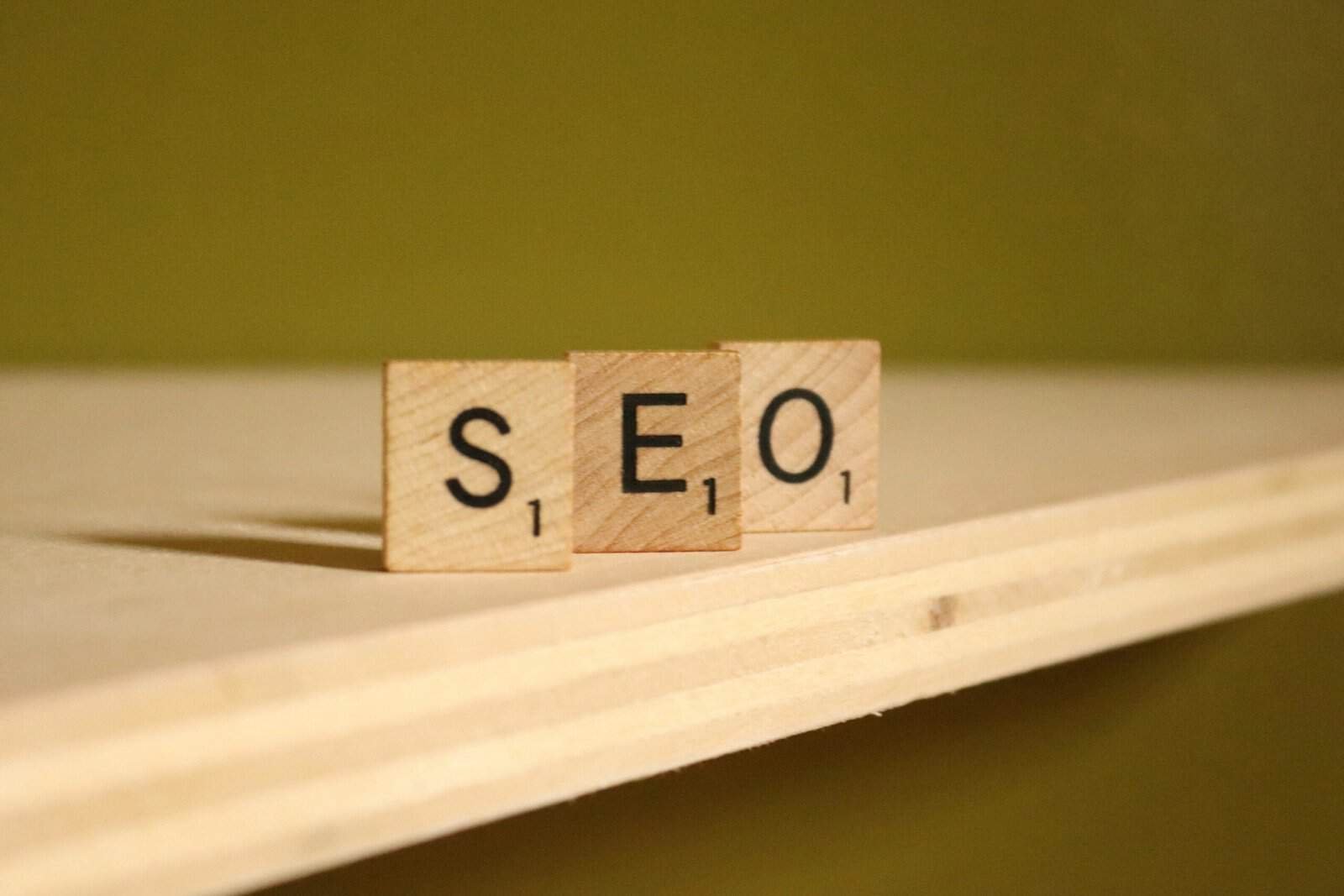

So, you want to rank higher on Google? The shortest answer is: provide genuinely useful, high-quality content that people are searching for, and make sure Google can easily find and understand it. It’s not about magic tricks, but consistent, smart effort. Think of it less like a race against competitors and more like a never-ending journey to be the most helpful resource out there for your audience.
Before we dive into the nitty-gritty, let’s get a feel for how Google actually works. It’s constantly trying to serve the best possible result for any given search query. This means relevance and authority are key.
How Google Finds Your Content
Google uses “crawlers” or “spiders” to scour the internet, following links from page to page. They read your content, look at your site structure, and try to understand what your pages are about. If your site isn’t accessible or easy to navigate, Google might miss out on some of your great content.
What Google Prioritizes
Google isn’t just looking for keywords. It’s looking for meaning. It wants to satisfy user intent. If someone searches for “best running shoes,” Google doesn’t just want pages with those words; it wants reviews, comparisons, advice on different foot types, and places to buy them. Quality, user experience, and trustworthiness are huge factors.
In the ever-evolving landscape of digital marketing, understanding the interplay between Search Engine Optimization (SEO) and business innovation is crucial for success. A related article that delves into this topic is “The Power of Business Innovation,” which explores how innovative strategies can enhance online visibility and drive traffic. For more insights on this subject, you can read the article here: The Power of Business Innovation.
Laying the Foundation: Technical SEO Essentials
Think of technical SEO as making sure your house has a strong foundation and a clear pathway for visitors. If this isn’t right, all the beautiful furniture and decor (your content) might not even be seen.
Site Speed Matters
Nobody likes a slow website. Google knows this, and it penalizes sites that take too long to load. Even a difference of a second or two can significantly impact user experience and bounce rates.
Tools to Check Speed
Google’s PageSpeed Insights is your best friend here. It’ll give you a score and specific suggestions for improvement, like optimizing images or leveraging browser caching.
Common Speed Fixes
- Image Optimization: Compress images without losing quality.
- Browser Caching: Configure your server to tell browsers to store certain files locally.
- Minify Code: Remove unnecessary characters from your HTML, CSS, and JavaScript.
- Fast Hosting: Invest in reliable hosting that can handle your traffic.
- Reduce Server Response Time: This often involves optimizing your database or choosing a faster web server.
Mobile-Friendliness is Non-Negotiable
Most people browse the internet on their phones. If your site isn’t responsive and easy to use on a small screen, you’re alienating a huge portion of your potential audience, and Google will notice.
Testing Your Site
Again, Google has a handy Mobile-Friendly Test tool. Just plug in your URL and it’ll tell you if there are any issues.
Responsive Design
This is the standard. Your website should adapt seamlessly to any screen size, from desktops to tablets to smartphones. Your menus, text, and images should all reflow and resize appropriately.
Secure Your Site (HTTPS)
If your site isn’t using HTTPS, it’s a security risk. Google actively encourages and prioritizes secure websites. It’s a small ranking factor, but it’s also about building trust with your users.
How to Get HTTPS
You’ll need an SSL certificate. Most hosting providers offer this, often for free with services like Let’s Encrypt. It’s usually a straightforward process.
Clear Site Structure and Navigation
Imagine a library with books stacked randomly. You’d never find anything! Your website needs a logical hierarchy that makes sense to both users and Google’s crawlers.
Logical Hierarchy
Think categories and subcategories. Your homepage should link to your main service/product categories, which then link to individual service/product pages or blog posts. A shallow structure (fewer clicks to reach any page) is generally better.
Internal Linking
This is crucial. Link relevant pages within your own site. If you mention a concept on one blog post, and you have another post that explains it in detail, link to it! This helps Google understand the relationships between your content and distributes “link equity” around your site.
Mastering On-Page SEO: Making Your Content Shine

Once the technical stuff is sorted, it’s time to focus on the actual content on your pages. This is where you tell Google exactly what your page is about.
Keyword Research: The Cornerstone
Before you write a single word, you need to know what words and phrases people are actually searching for. Don’t guess.
Understanding Search Intent
This is critical. Are people looking for information (e.g., “how to bake sourdough”)? Are they trying to buy something (e.g., “best stand mixer reviews”)? Or are they looking for a specific website (e.g., “Amazon customer service”)? Your content needs to match this intent.
Tools for Keyword Research
- Google Keyword Planner: Free, but you need a Google Ads account. Great for finding keyword ideas and search volume.
- Ahrefs/Semrush/Moz Keyword Explorer: Premium tools that offer much more depth, including competitor analysis, keyword difficulty, and related questions.
- AnswerThePublic: Visualizes questions people ask around your keywords.
- Google Search Suggestions: Just start typing into the Google search bar, and see what suggestions pop up. Also, check the “People also ask” and “Related searches” sections.
Long-Tail vs. Short-Tail Keywords
- Short-tail (head) keywords: “SEO,” “coffee.” Very broad, high competition, usually lower conversion intent.
- Long-tail keywords: “how to improve SEO for small business,” “best organic fair trade coffee beans for espresso.” More specific, lower search volume, lower competition, often higher conversion intent. Focus on these!
Crafting Compelling Content
This is where the magic happens. Great content isn’t just about keywords; it’s about providing genuine value.
Quality Over Quantity (Always)
One excellent, comprehensive article is worth ten thin, keyword-stuffed ones. Aim to be the best resource for a given query.
Thoroughness and Depth
Answer all possible questions a user might have about your topic. If someone is looking for “how to fix a leaky faucet,” they might also want to know “what tools do I need?” or “how much does a plumber cost?” Pre-empt these questions in your content.
Engagement and Readability
- Easy Language: Write in a way that your target audience understands. Avoid overly technical jargon unless that’s who you’re speaking to.
- Short Paragraphs: Break up your text. Long blocks of text are intimidating, especially on mobile.
- Headings and Subheadings: Use H2s, H3s, etc., to structure your content. This makes it scannable and helps Google understand the hierarchy of your information.
- Lists and Bullet Points: Great for breaking down complex information or presenting steps.
- Visuals: Images, videos, infographics – they break up text, explain concepts, and improve engagement. Make sure they are optimized (compressed and have alt text).
Optimizing On-Page Elements
Once you have your fantastic content, you need to tell Google clearly what it’s about using specific on-page elements.
Title Tags
This is the clickable headline in the search results. It’s one of the most important on-page SEO factors.
- Keyword Placement: Include your primary keyword as close to the beginning as possible.
- Compelling Copy: Make it enticing and reflective of your content to encourage clicks.
- Length: Keep it under 60-70 characters to avoid truncation in search results.
- Uniqueness: Every page should have a unique title tag.
Meta Descriptions
While not a direct ranking factor, a good meta description significantly impacts click-through rates (CTR) from search results.
- Summarize Content: Briefly explain what the page is about.
- Include Keywords: Google bolds keywords in meta descriptions if they match the user’s query.
- Call to Action: Encourage users to click (e.g., “Learn More,” “Get Your Free Guide”).
- Length: Aim for around 155-160 characters.
Header Tags (H1, H2, H3, etc.)
These provide structure and hierarchy to your content.
- H1 Tag: This should be the main title of your page, usually reflecting your primary keyword. There should only be one H1 per page.
- H2 Tags: Subheadings for major sections of your content.
- H3-H6 Tags: Further break down your H2 sections.
- Keyword Inclusion: Naturally sprinkle relevant keywords in your headings, but don’t force them.
URL Structure
Keep your URLs clean, descriptive, and easy to understand.
- Short and Sweet: Shorter URLs are generally preferred.
- Keyword-Rich: Include your primary keyword in the URL.
- Readable: Avoid long strings of numbers or obscure characters. Use hyphens to separate words.
- Example:
yourwebsite.com/blog/seo-keyword-research-guideis much better thanyourwebsite.com/p?id=12345&cat=2
Image Alt Text
This is an HTML attribute for images. It describes the image to search engines and visually impaired users.
- Descriptive: Accurately describe the image.
- Keyword-Rich (When Appropriate): If it makes sense, include a keyword that describes the image and is relevant to the page.
- Accessibility: Crucial for screen readers.
Building Authority: Off-Page SEO Strategies

Even with perfect on-page and technical SEO, you need to establish your site’s authority. This largely comes from what other websites say about you.
Backlinks: The ‘Votes of Confidence’
Backlinks (links from other websites to yours) are still one of the most powerful ranking signals. Google sees them as endorsements.
Quality Over Quantity
One link from a highly reputable, relevant website is worth hundreds from low-quality, spammy sites. Focus on earning links from sites that are authoritative in your niche.
How to Earn Backlinks
- Create Amazing Content: Truly exceptional content naturally attracts links because others want to reference it. This is often called “linkable assets.”
- Guest Posting: Write articles for other reputable websites in your industry. In return, you usually get an author bio with a link back to your site.
- Broken Link Building: Find broken links on other websites, then suggest your own relevant content as a replacement.
- Resource Pages: Look for “best resources” or “useful links” pages on other sites and suggest they include yours.
- HARO (Help a Reporter Out): Respond to journalist queries. If they use your expertise, they’ll often link back to your site.
- Brand Mentions: Monitor mentions of your brand online. If someone talks about you but doesn’t link, reach out and politely ask for a link.
Disavowing Bad Links
If you accidentally acquire links from spammy or irrelevant sites, these can actually hurt your SEO. Google’s Disavow Tool allows you to tell Google to ignore these links. Use this with caution and only if you suspect a negative SEO attack or have a history of bad link building.
Social Signals (Indirect)
While likes, shares, and comments on social media aren’t direct ranking factors, they play an indirect role.
Increased Visibility
More shares can lead to more people seeing your content, which means more potential backlinks, and more traffic to your site.
Brand Building
A strong social presence builds brand awareness and trust, which can influence user behavior and search intent.
Local SEO (If Applicable)
If you have a physical business, local SEO is paramount. It helps you appear in local search results and on Google Maps.
Google My Business Profile
This is the single most important local SEO factor. Claim and fully optimize your Google My Business (GMB) profile.
- Complete All Sections: Business name, address, phone number, website, hours, photos, services/products.
- Categorize Correctly: Choose the most accurate business categories.
- Collect Reviews: Encourage customers to leave reviews (and respond to them!).
- Post Regularly: Use the GMB posting feature for updates, offers, or news.
Local Citations
Consistency is key. Ensure your Name, Address, Phone number (NAP) is consistent across all online directories (Yelp, Yellow Pages, etc.). Inconsistent information can confuse Google.
Local Keyword Research
Target keywords like “plumber near me,” “best pizza [your city],” or “auto repair [your city name].”
Search Engine Optimization (SEO) is a crucial aspect of digital marketing that helps improve the visibility of websites on search engines. A related article that explores the intersection of technology and online visibility is about enhancing visual recognition with computer vision. This innovative approach can significantly impact how content is indexed and ranked by search engines. For more insights, you can read the article on enhancing visual recognition with computer vision.
Monitoring and Adapting: The Ongoing Journey
| Metrics | Value |
|---|---|
| Organic Traffic | 5000 visits/month |
| Keyword Ranking | Top 3 positions for 10 keywords |
| Backlinks | 100 high-quality backlinks |
| Page Load Time | 3 seconds |
SEO is not a one-and-done task. It’s an ongoing process of monitoring, analyzing, and adapting to changes.
Google Search Console
This absolutely free tool from Google is a treasure trove of information about your site’s performance in search.
Key Features
- Performance Report: See which queries users are searching for to find your site, your click-through rate, and average position.
- Coverage Report: Identify indexing issues (pages Google can’t crawl or has excluded).
- Enhancements: See if your structured data, mobile usability, and other features are working correctly.
- Sitemaps: Submit your sitemaps to help Google discover all your pages.
- Core Web Vitals: Get reports on your site’s speed and user experience metrics.
Google Analytics
While Search Console tells you how people find you, Google Analytics tells you what they do once they’re on your site.
Tracking User Behavior
- Traffic Sources: See where your visitors are coming from (organic search, social, referral, direct).
- Bounce Rate: The percentage of visitors who leave your site after viewing only one page. A high bounce rate might indicate poor content or user experience.
- Time on Page: How long users spend on a particular page. Longer times generally mean more engagement.
- Conversion Tracking: If you have goals (e.g., form submissions, purchases), track them to see which channels are driving value.
Staying Updated with Algorithm Changes
Google’s algorithm is always evolving. What worked last year might not work today.
Follow Reputable Sources
- Google Search Central Blog: Direct updates from Google.
- Industry News Sites: Search Engine Land, Search Engine Journal, Moz Blog, Ahrefs Blog, SEMrush Blog.
- Official Twitter Accounts: Follow Google SearchLiaison and other Google figures.
Adapt, Don’t Panic
Major algorithm updates can cause fluctuations. Don’t immediately overhaul your entire strategy. Analyze the changes, understand what Google is prioritizing, and then make data-driven adjustments to your approach. Often, updates are about rewarding truly great content and user experience, which should always be your focus anyway.
Search Engine Optimization (SEO) is a crucial aspect of digital marketing that helps businesses improve their online visibility and attract more visitors to their websites. For those looking to enhance their understanding of SEO strategies, a great resource is an article that delves into the importance of quality content and its impact on search rankings. You can read more about this topic in the article on writing for SEO, which provides valuable insights and tips for creating content that resonates with both search engines and users alike.
Final Thoughts: Focus on the User
Ultimately, every SEO trick, tip, and strategy boils down to one thing: providing the best possible experience for your users. If you genuinely aim to create helpful, comprehensive, and accessible content that solves people’s problems or answers their questions, you’re already 90% of the way there. The rest is just making sure Google can see and understand all that great work. It’s a marathon, not a sprint, but the rewards are well worth the consistent effort.
FAQs
What is Search Engine Optimization (SEO)?
Search Engine Optimization (SEO) is the process of improving a website’s visibility on search engines like Google, Bing, and Yahoo. This is done through optimizing the website’s content, structure, and other elements to make it more attractive to search engine algorithms.
Why is SEO important for a website?
SEO is important for a website because it helps to increase organic (non-paid) traffic from search engines. By optimizing a website for search engines, it can rank higher in search results, leading to more visibility, traffic, and potential customers.
What are the key elements of SEO?
The key elements of SEO include keyword research, on-page optimization (such as meta tags, headings, and content), off-page optimization (such as link building and social media), and technical optimization (such as site speed and mobile-friendliness).
How long does it take to see results from SEO?
The time it takes to see results from SEO can vary depending on factors such as the competitiveness of the industry, the quality of the website, and the effectiveness of the SEO strategies. Generally, it can take several months to start seeing significant improvements in search engine rankings and traffic.
What are some common SEO mistakes to avoid?
Common SEO mistakes to avoid include keyword stuffing, using irrelevant or low-quality backlinks, neglecting mobile optimization, and ignoring the importance of user experience. It’s important to stay updated on search engine algorithm changes and best practices to avoid these mistakes.

